35 features across 11 categories, all included in your subscription. No premium tiers, no enterprise upgrades, no upsells.
The core feature is the one that drives almost every other benefit downstream. When a court filing enters the case, DocketBreeze processes it twice: once for you, once for your client.
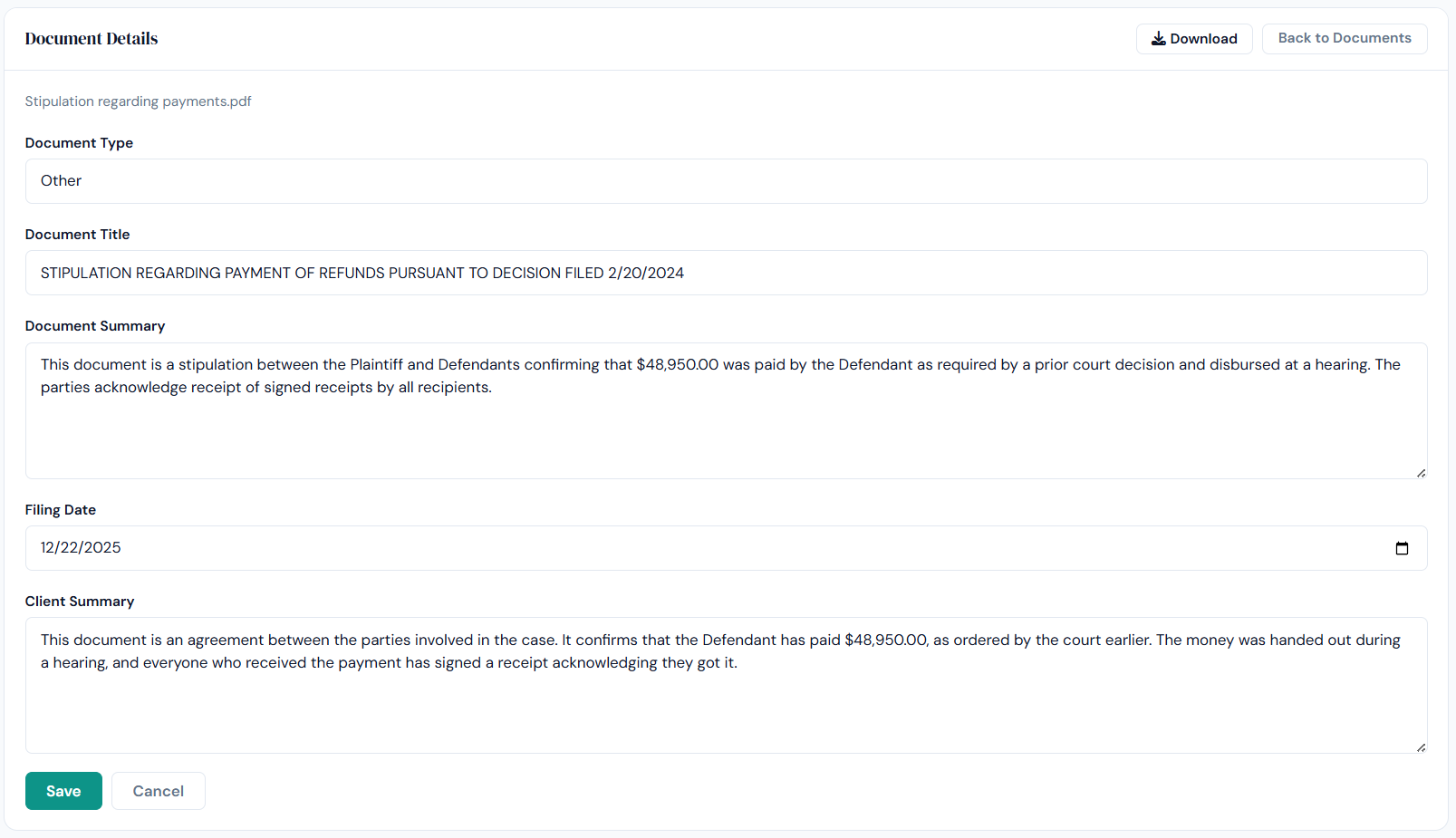
Every document gets two summaries automatically. The legal summary covers rule references, procedural posture, and suggested next steps. The plain-language summary tells the client what happened and what it means for them, in everyday English.
Writing a client-readable summary by hand takes 10–20 minutes. Across thirty active cases, that's hours of unbillable time per week. DocketBreeze does it in seconds, every time.
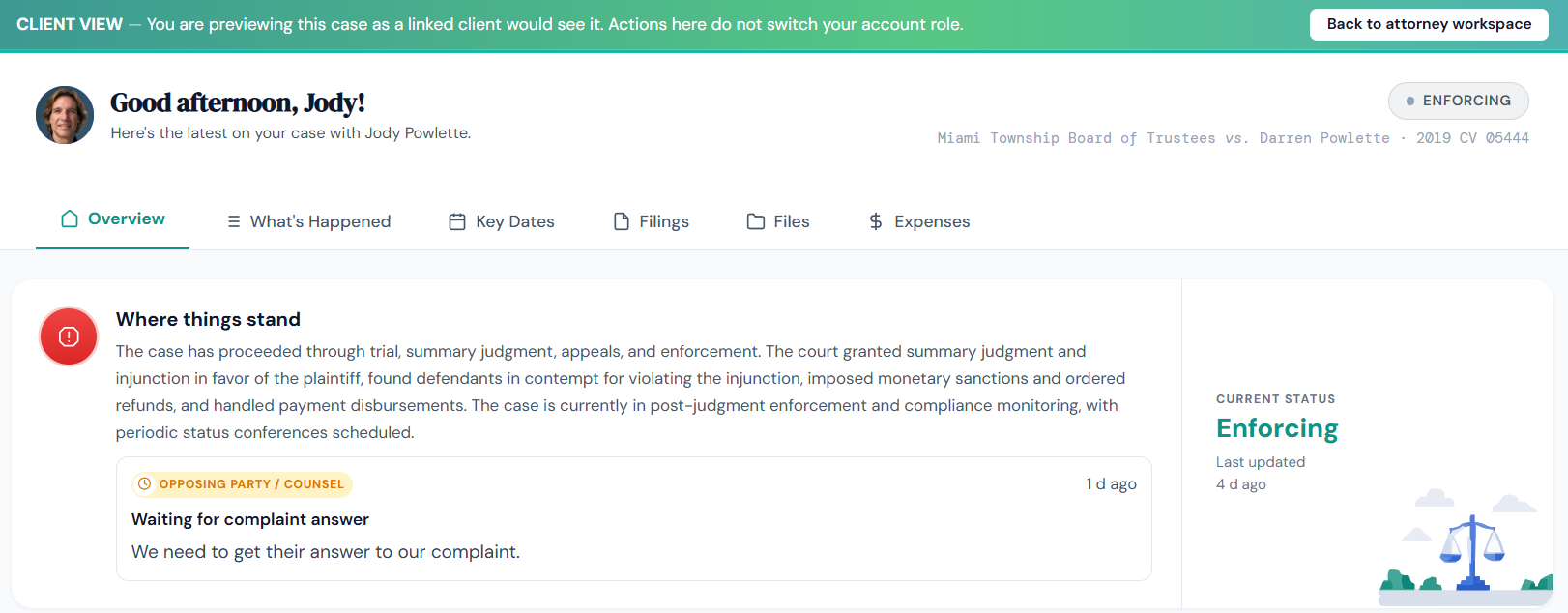
A single toggle in the attorney interface flips the screen into client view, the exact same plain-language summaries, timeline, and notifications your client sees. Know what they've read, missed, or asked the AI about before any call.
Most client-experience problems happen because the lawyer never sees what the client sees. The toggle closes that gap before the call happens.
When the client opens any document, a short plain-language summary appears at the top of the page: what the filing is, what it means, whether they need to act. The full legal document follows.
Clients who would have closed the PDF and called you instead read the summary, understand the situation, and stay engaged. The phone call doesn't happen.
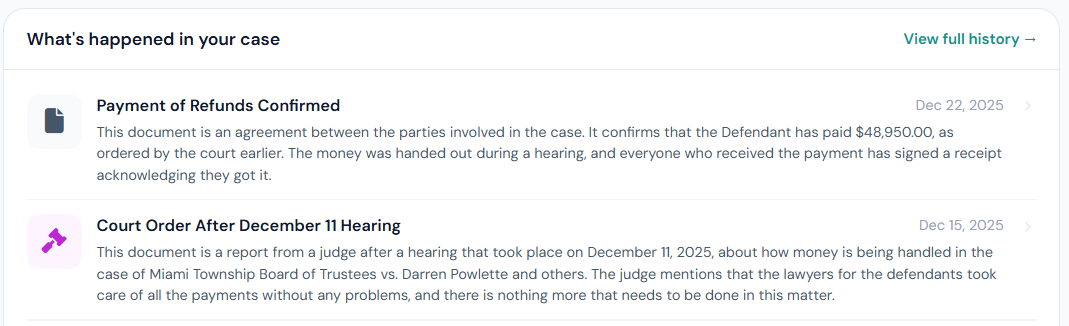
DocketBreeze's AI does two distinct jobs. For clients, it answers case questions around the clock. For attorneys, it turns case context into work product, emails, briefs, next steps, in seconds.
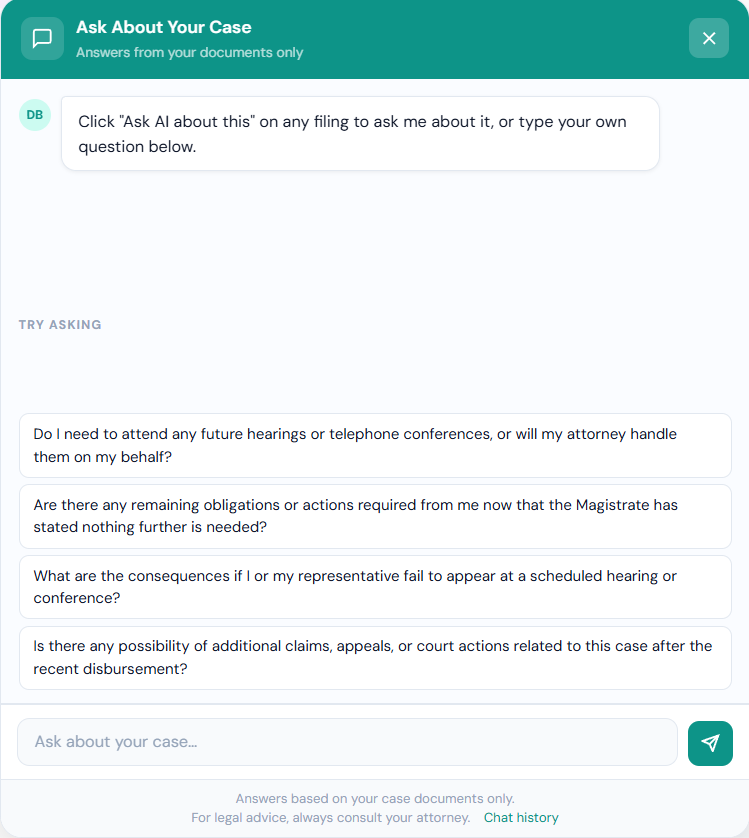
The AI is trained on the documents in the client's actual case. When a client asks "what's my next deadline?" it gives the actual date from the actual filing, with a citation to the specific paragraph.
Clients get correct answers because the AI is reading their file, not guessing. You get a record of every question asked, intelligence you can use before the next meeting.
Every AI answer ends with a prompt to schedule a call for questions that involve strategy or judgment. The AI explains procedural concepts and defines terms, but never gives legal advice or weighs in on what the client should do.
The curiosity calls go to AI. The strategy calls come to you. Your billable hours go up because the calls that reach you are the ones worth billing for.
The AI doesn't keep office hours. A client who has a question at 11 p.m. on a Sunday gets an answer at 11 p.m. on a Sunday. You don't see the question until Monday, if it ever needed to reach you at all.
The single largest source of after-hours anxiety for clients is the question they can't ask until tomorrow. Removing that wait removes most of the panic emails that arrive overnight.
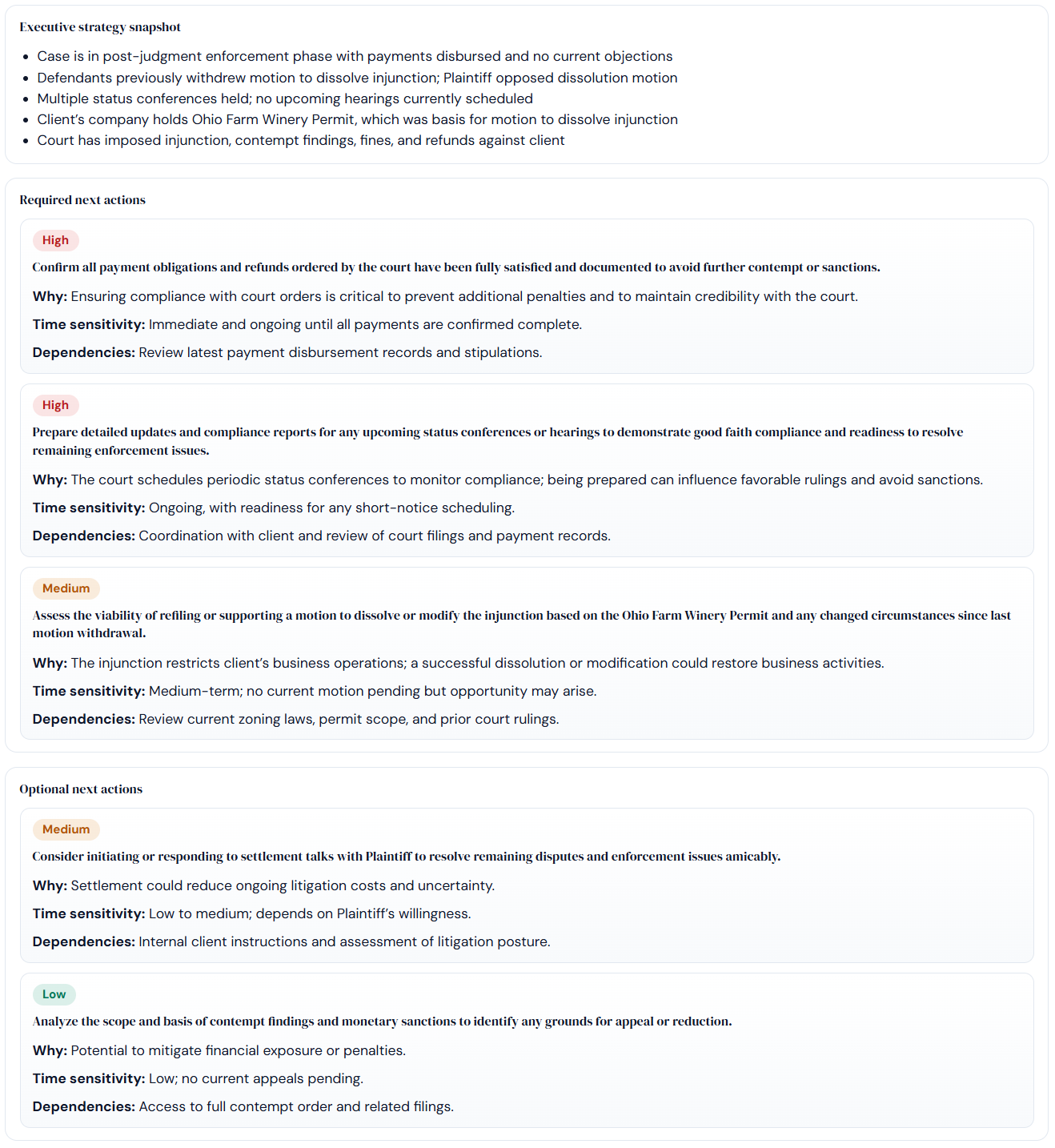
Push a button and DocketBreeze generates an immediate summary of the entire case, procedural posture, parties, key filings, current status, and recommended next steps based on the most recent activity.
This is the feature that saves a vacation. A backup lawyer opens the platform, gets a complete brief and next moves in under a minute, and sees every pending task at a glance.
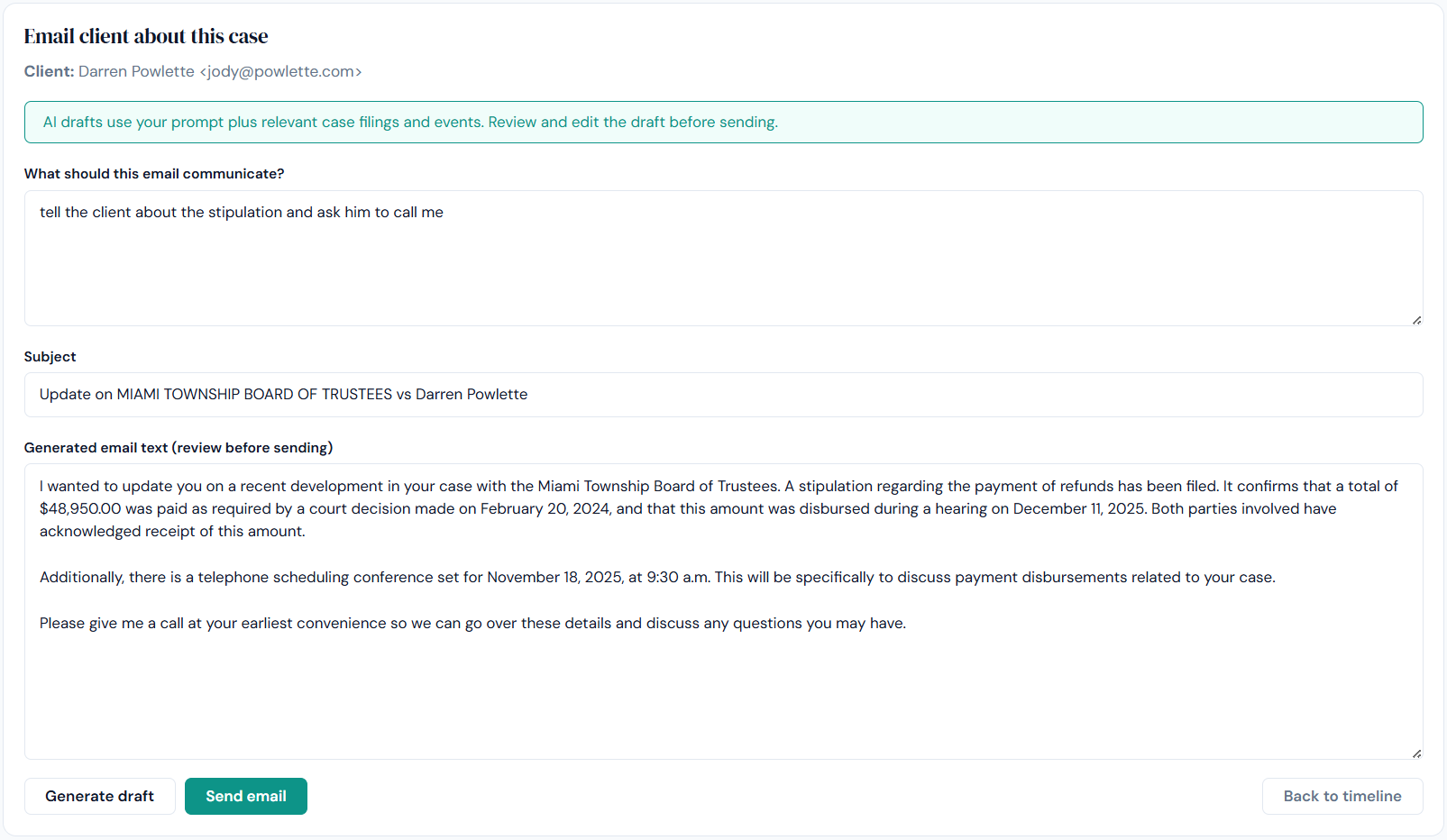
Give the AI a few prompts and it drafts a client update email using the case as context, with the right names, dates, and references already filled in. Edit and send in seconds.
AI drafting cuts a 10-minute email down to 30 seconds, and the draft is informed by the actual file, not a generic template.
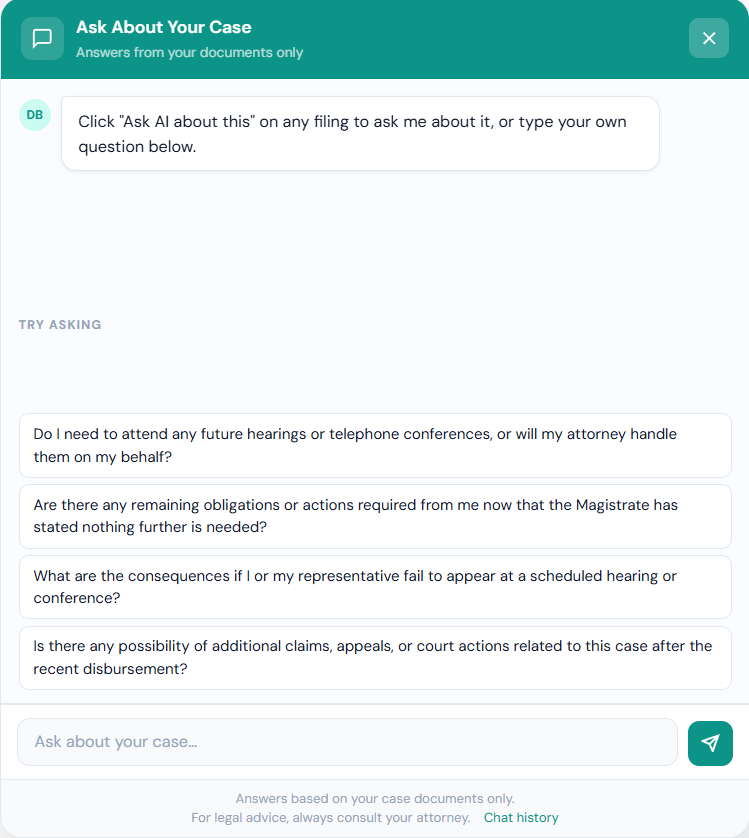
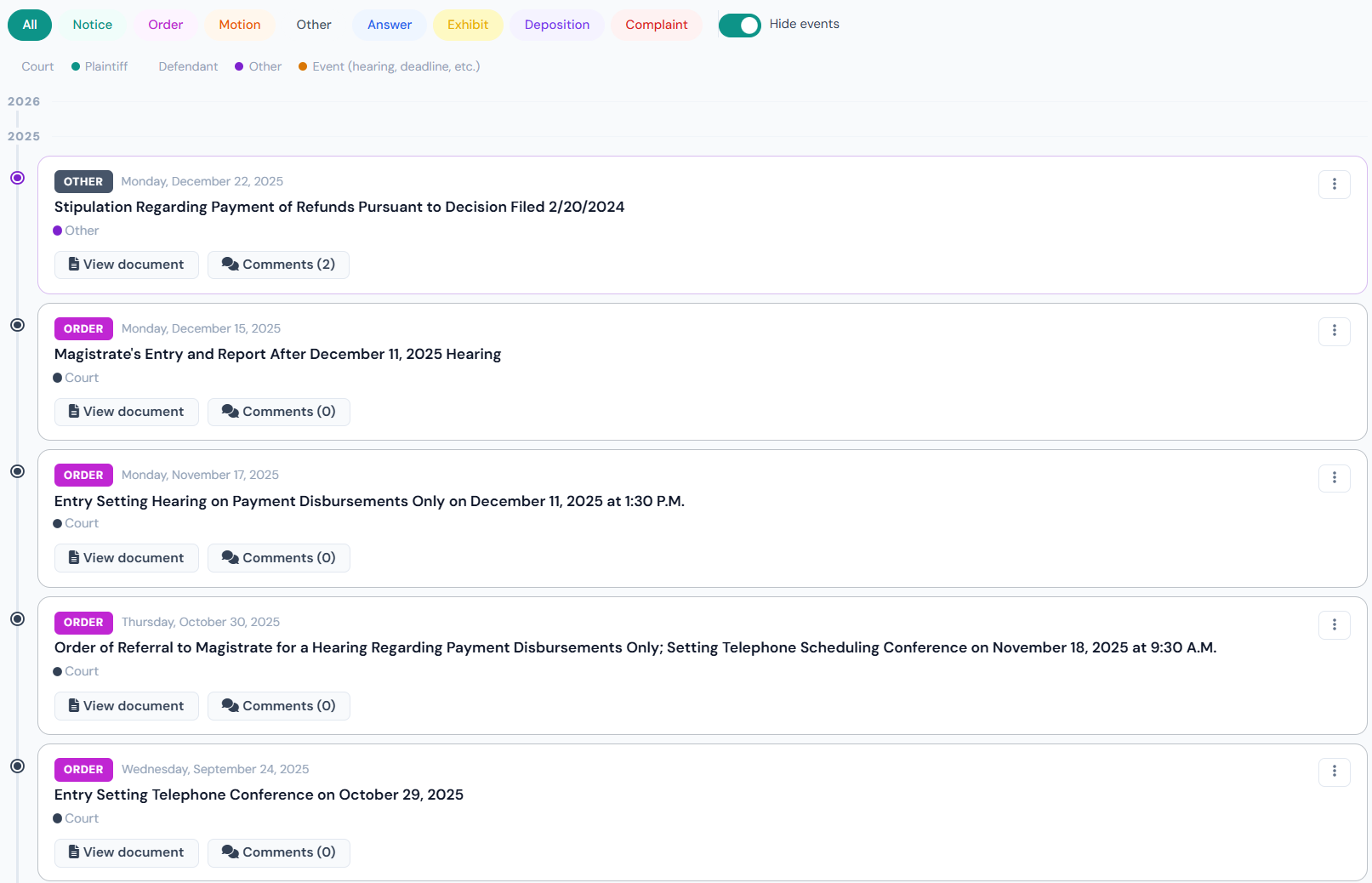
How the case is organized, displayed, and navigated, by both the attorney and the client. The full case history in one scannable view.
The full case history as a horizontal visual timeline. Every document in chronological order, with significant filings highlighted. Click any node to open the document with its plain-language summary.
Six months into a case, the average client inbox has 30+ PDFs from the lawyer, none of them findable. The timeline replaces that mess with a single, scannable view.
When you load documents for a new or inherited case, DocketBreeze generates a written procedural summary in minutes, parties, key filings, upcoming deadlines, and where the case stands.
Reviewing an inherited case file used to take hours of unbillable time. The instant summary lets you walk into the next meeting having actually read the file.
After every significant filing, DocketBreeze suggests the typical next procedural moves, not as a replacement for your judgment, but as a starting point based on what just happened in the file.
Solo practitioners don't have a senior partner to look over their shoulder. The next-steps suggestions provide that kind of structural support.
Tasks, expenses, contacts, and communication logs, all extracted from your filings or captured automatically. No separate tools to maintain. No data entry to chase.
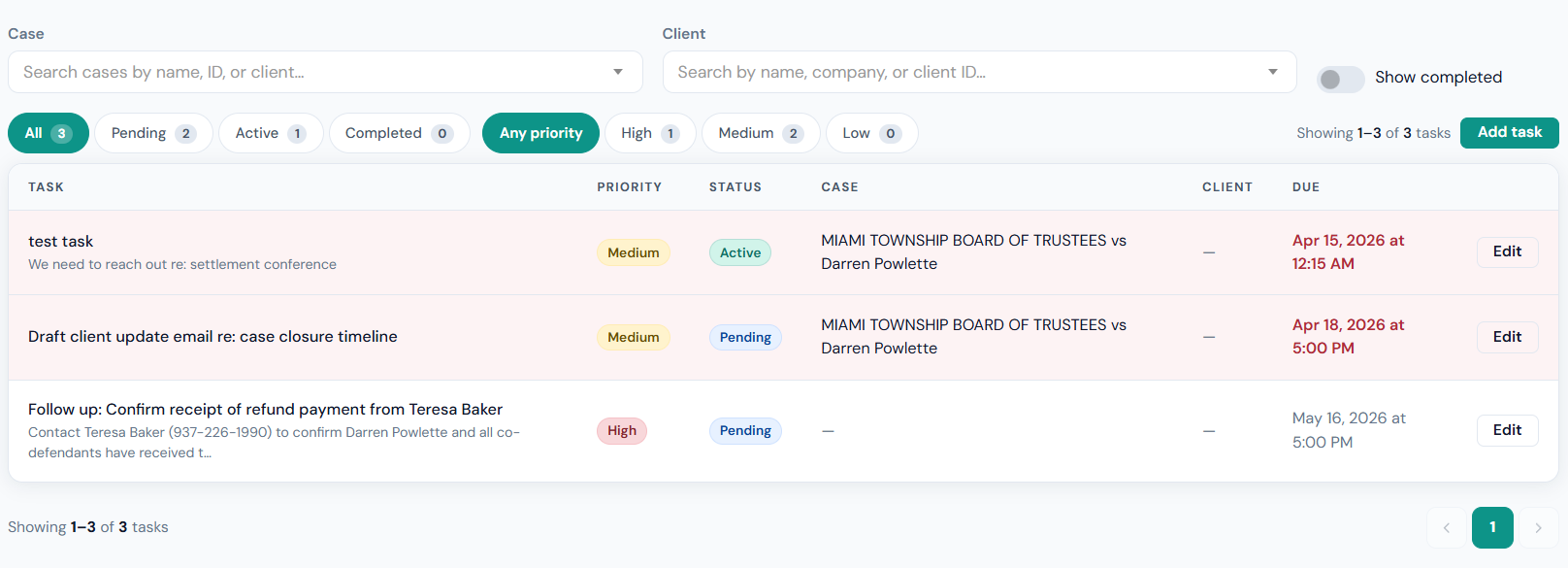
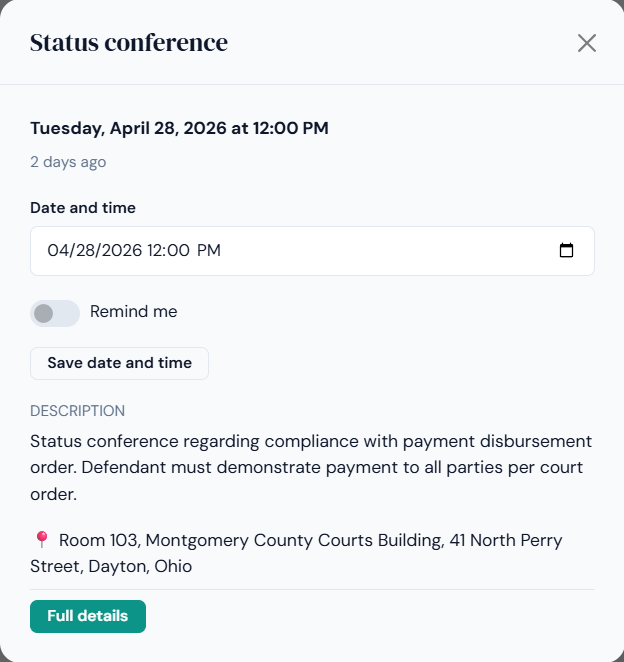
Every action item buried in a court filing (hearings, motions to file, conferences, deadlines) is extracted automatically and becomes a task on the calendar with a due date and notification at the appropriate lead time.
Missed deadlines are the most expensive mistakes a lawyer makes. Automatic extraction shifts the work from authoring the task list to auditing it, lower stakes, faster.
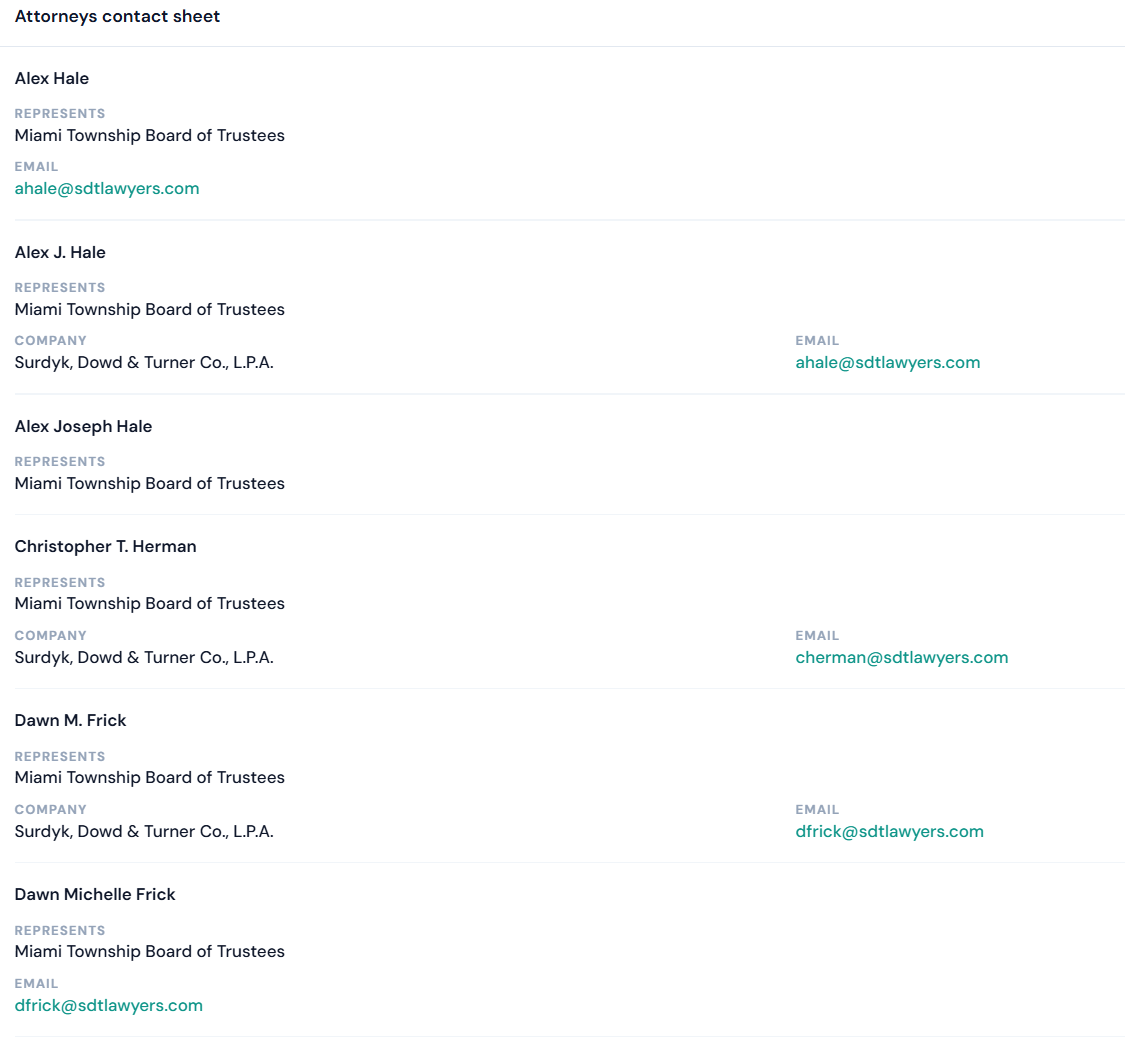
Every party in the case, opposing counsel, parties, witnesses, experts, is pulled into a contact list automatically. Names, firms, email addresses, and phone numbers populated from the filings. Updated as new documents come in.
The contact list that used to require an hour of paralegal data entry per case now builds itself. Opposing counsel's email is two clicks away, not buried in a PDF.
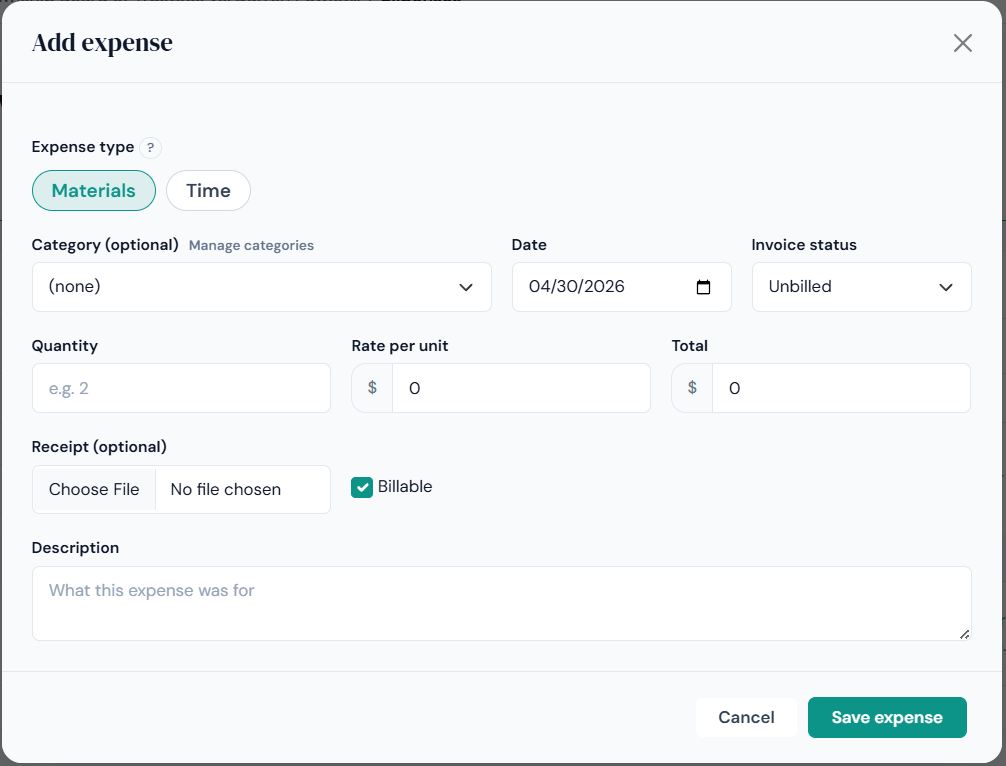
Filing fees, deposition costs, expert witness invoices, mileage, every expense logged against the case it belongs to, with a running total ready for client billing or fee-shifting motions.
Reconstructing case expenses at the end of a matter takes hours. Logging them as they happen takes seconds.
Every exchange with the client, emails, texts, document deliveries, AI questions, calendar invitations, replies, is logged automatically and time-stamped against the case. Searchable. Exportable. Always current.
Six months later, when you need to find the moment the client confirmed the court date, the answer is in one searchable record, not assembled from four different inboxes.
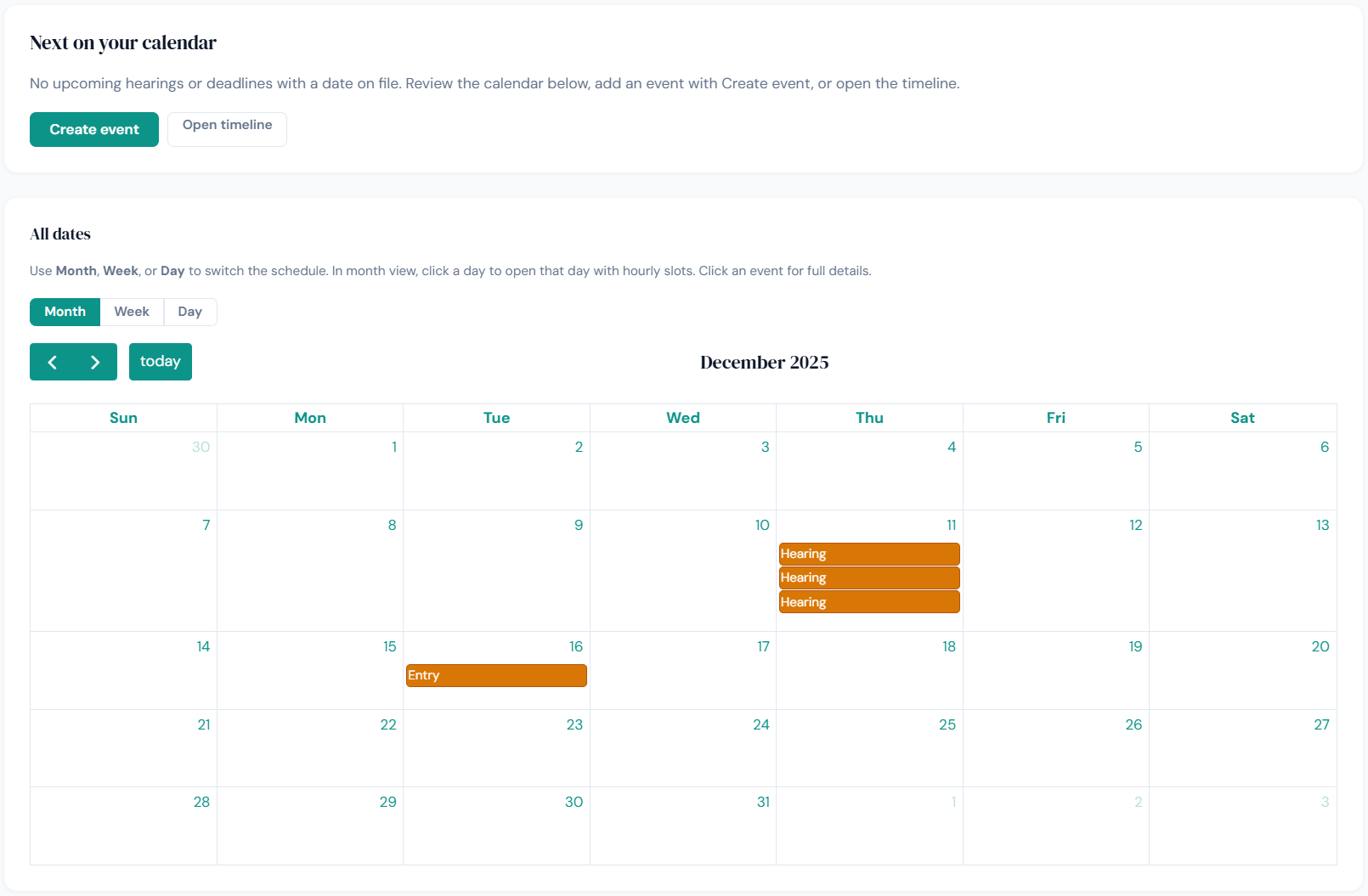
DocketBreeze treats your calendar as the single source of truth for everything that has to happen on a case. Filings come in; tasks, hearings, and deadlines flow out automatically.
Every deadline, hearing date, and computed date ("thirty days from service") is pulled from the filing the moment it enters the case. Each becomes a calendar entry with a notification and a task that stays in front of the attorney until it's done.
The deadlines that get missed aren't the obvious ones, they're buried on page 14 or expressed as a computation. Automatic extraction means they don't depend on a tired human reading every filing carefully.
Push the DocketBreeze calendar to your existing Google or Outlook calendar with a single click. Updates flow through automatically when filings change deadlines.
You don't have to learn a new calendar. The deadlines simply appear in the calendar you already use, alongside everything else on your day.
Before every scheduled meeting, you receive a one-paragraph status summary, the most recent filings, every question the client has asked the AI since you last spoke, and the upcoming deadlines.
Knowing what your client has been asking the AI tells you what's on their mind before they say it. The client thinks you're the most prepared lawyer they've ever had.
Every channel a client actually uses, consolidated into a single record next to the documents it's about.
When a new document enters the case, the client is notified by both email and text simultaneously, wherever they prefer to read messages. No app to install. No portal password to remember.
Clients open texts within minutes; emails within hours; portal notifications often never. Hitting both channels means the message lands fast, every time.
Clients can reply directly to the platform by email or text, and their replies are logged in the case file alongside every other exchange. The entire conversation lives next to the documents it's about.
You don't have to assemble the record from four different inboxes. It's already in one place, time-stamped and searchable.
Every document tracks when the client opened it, how long they spent on it, and whether the AI fielded a question about it. The conversation shifts from "did you see it?" to "you opened it on Tuesday at 4:12."
Read receipts are a malpractice firewall. If a deadline came and went and the client claims they didn't know, you have the record.
Every solo practitioner has had the client who retained eagerly and then went silent. DocketBreeze gives you both a record of your diligence and a formal way to escalate.
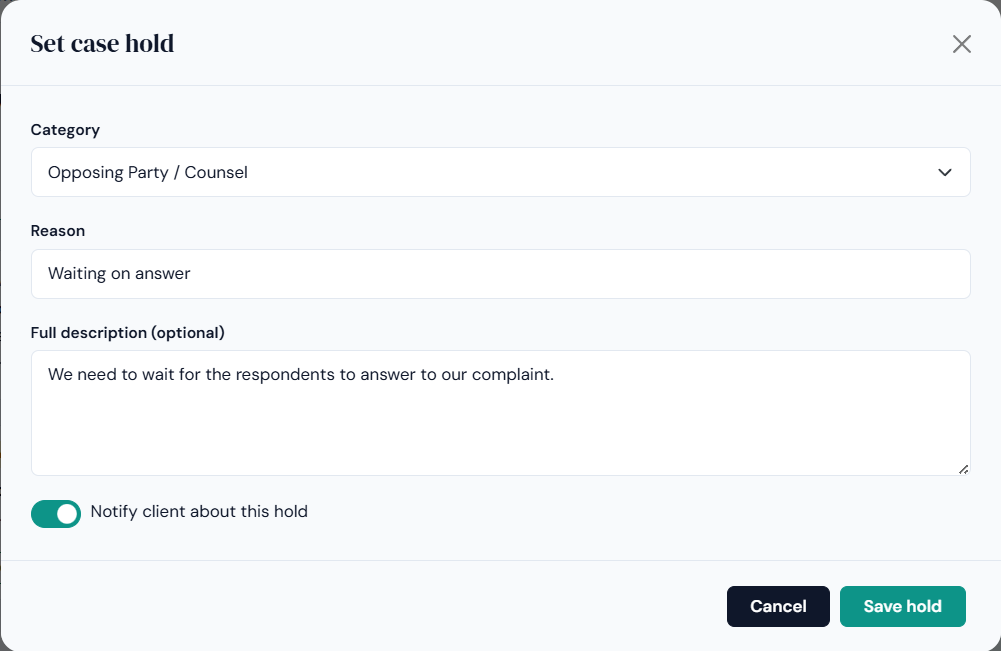
One click sends a formal notice to the client, by email and text, that the case is on hold pending a missing item: a signature, a document, an unpaid invoice. The notice explains what's needed and is logged with delivery confirmation.
The HOLD button creates a clear written record of your diligence, escalates in a professional tone, and often actually works, a client who ignored five informal messages will respond to a formal one.
When a critical document goes unread for a defined period, DocketBreeze flags it. Reminders go by email and text on the schedule you choose. Every attempt is logged with a timestamp.
The chase, automated, becomes 90% shorter and 100% more documented. You stop having to remember to follow up; the system remembers.
Cases rarely involve just one lawyer or one client. DocketBreeze handles the actual structure of legal work without requiring extra licenses or workarounds.
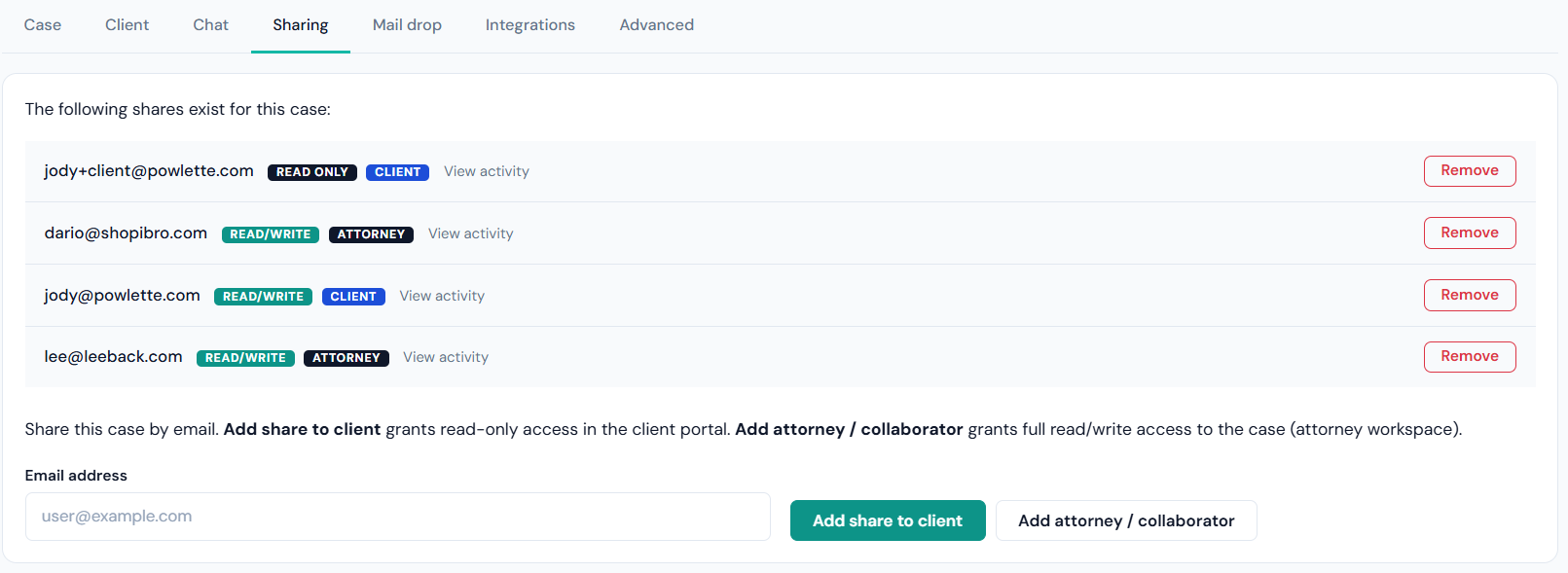
Invite any number of team members, partners, associates, paralegals, support staff, to a case with the access level appropriate to their role. Everyone sees the same file, the same timeline, and the same task list.
When a colleague has to step in for you, they don't need a hand-off meeting. They open the case, read the AI-generated brief, and they're running.
Some matters involve more than one client, a family-law matter with adult children, an estate with several beneficiaries. DocketBreeze lets the attorney grant access and communication rights to any or all of the people they represent, individually.
Group representation usually means duplicating effort across emails, BCCs, and forwarded messages. Multi-client access turns that into one shared, controlled view.
DocketBreeze meets your practice where it already lives, in your inbox, your calendar, and the practice management system you've already standardized on.
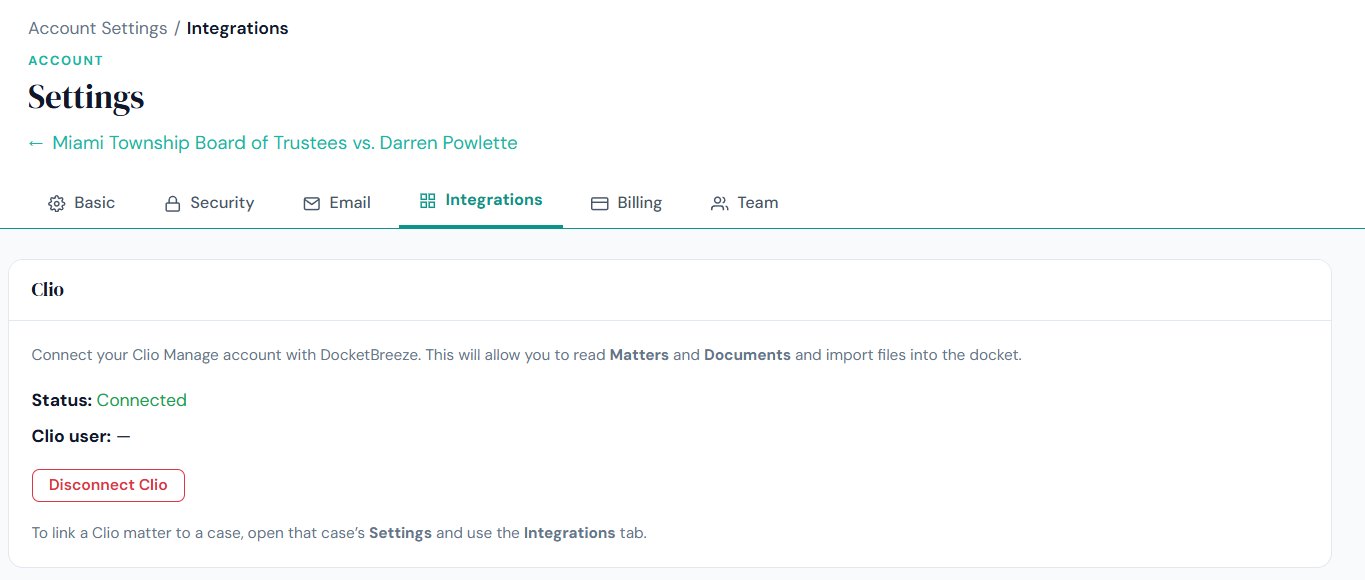
DocketBreeze integrates seamlessly with Clio. Cases, contacts, calendars, and documents flow between the two systems without duplicate entry.
If you're already on Clio, you don't have to choose between the practice management you depend on and the client experience layer you've been missing.
Clio is integration number one. As DocketBreeze grows, integrations are added in the order our customers request them. Your request is what puts it next on the list.
You aren't locked into a closed ecosystem. The integration roadmap is driven by which firms actually sign up, not which vendor wrote the biggest partnership check.
Sign in with the same Google or Outlook credentials your firm already uses. No new password to manage. No separate identity to provision when a new staff member starts.
Adoption fails when software introduces friction. SSO removes the most common point of friction, password fatigue, from day one.
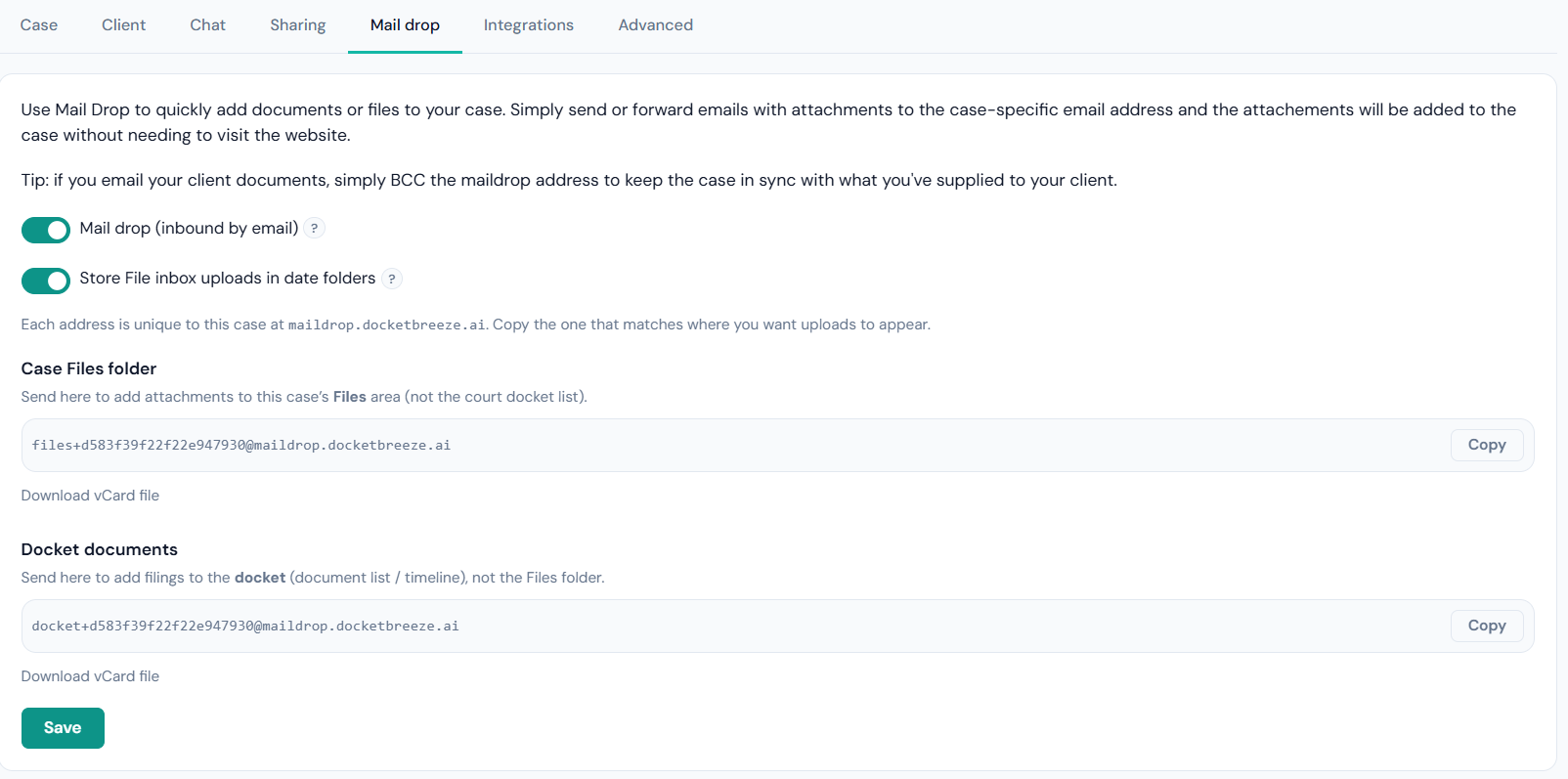
Forward any filing from your desktop email client to a dedicated mail drop address and DocketBreeze adds it to the right case automatically, summaries generated, deadlines extracted, client notified. No login required to file the document.
Documents arrive in your inbox throughout the day. Mail drop means you act on them in the moment, from the client you're already in, without switching contexts.
Every DocketBreeze message can be sent from your own corporate inbox, with your firm's logo, your signature block, and your firm's color scheme. The client sees a message from your firm; your sent folder shows it too.
Most client-experience platforms send notifications from a third-party domain, diluting your brand and landing in spam. Sending from your own mailbox keeps both your brand and your deliverability intact.
Software shouldn't dilute your brand, and it shouldn't leave referrals on the table.
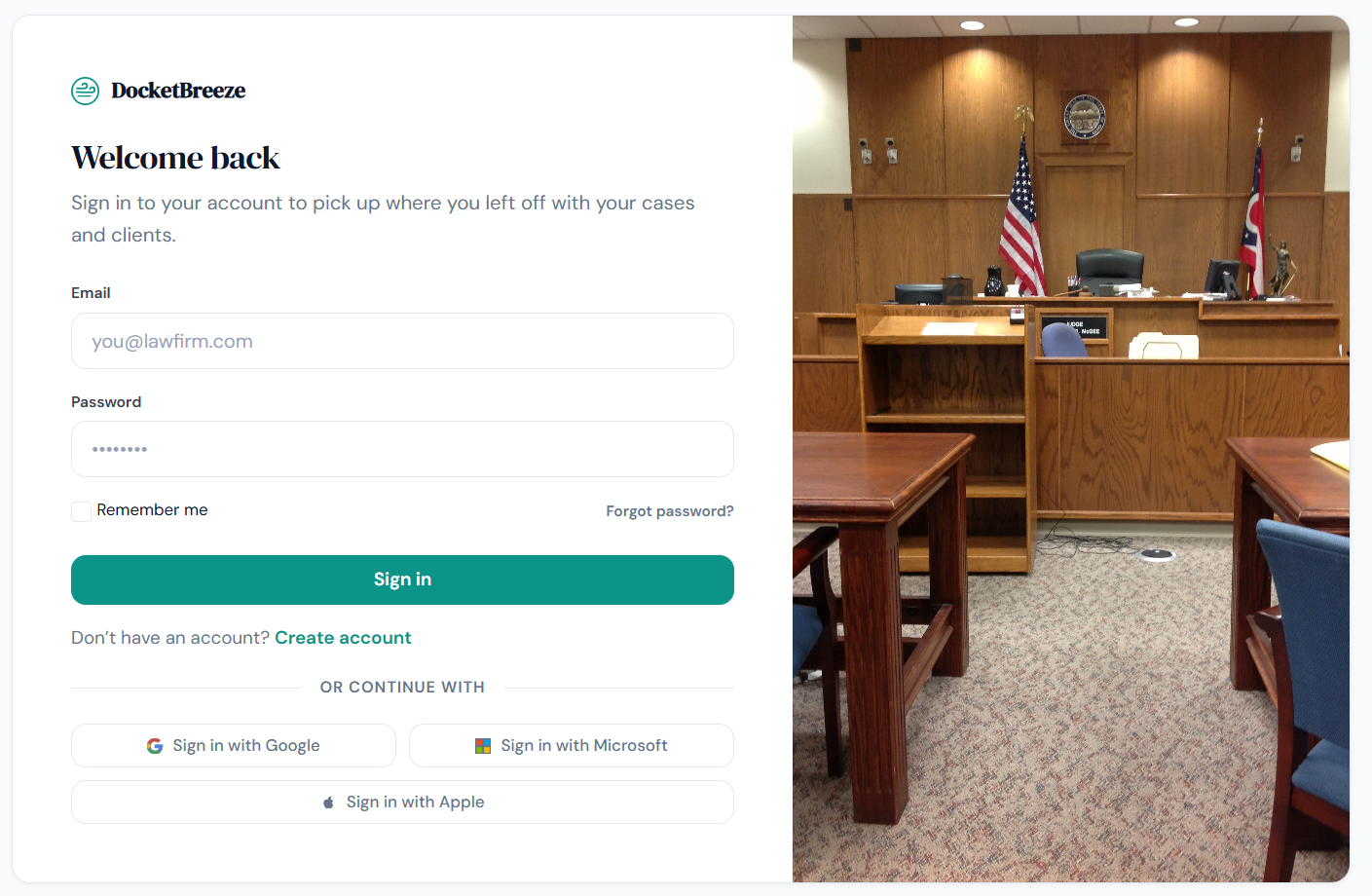
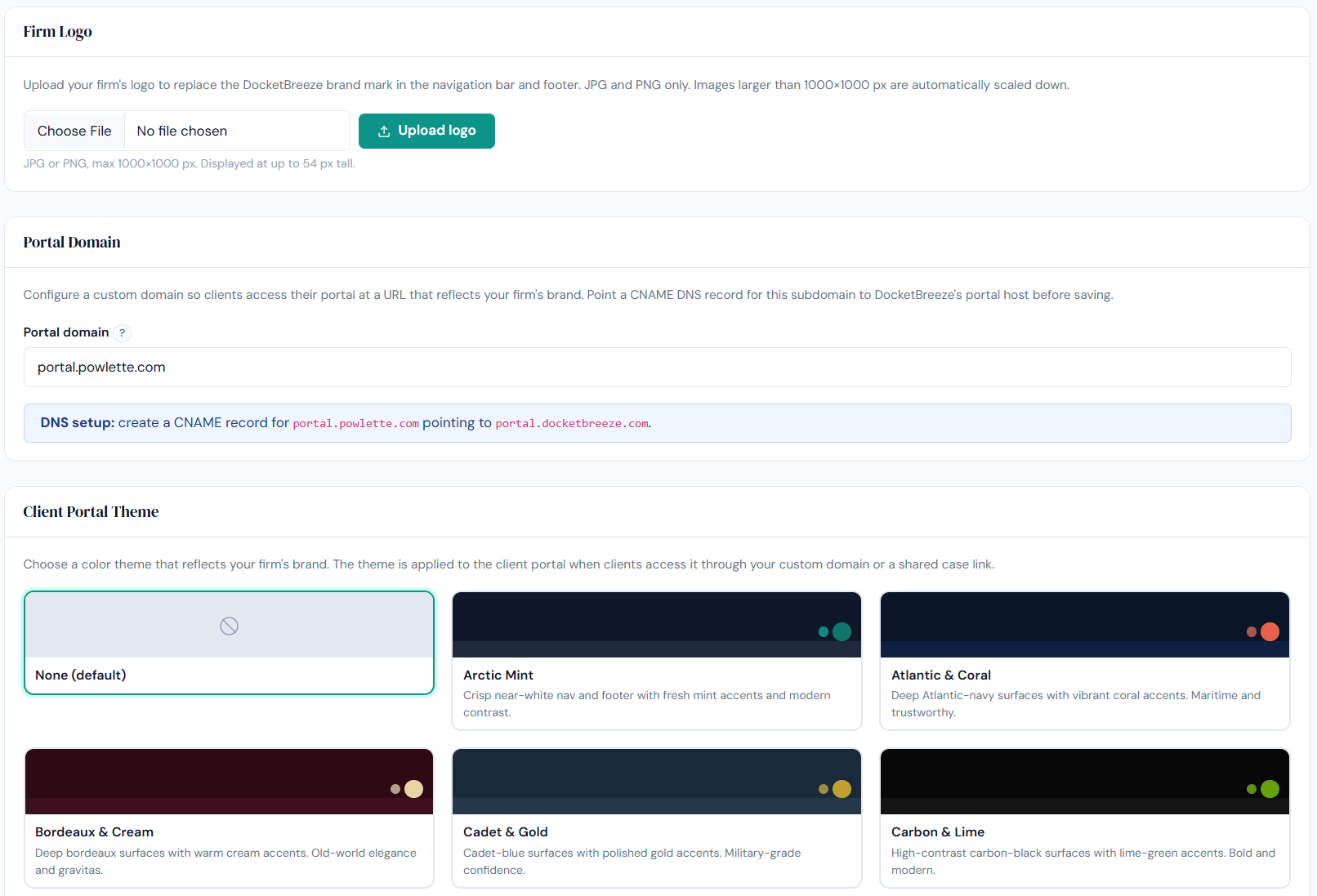
The entire client-facing experience can be branded with the firm's own logos, name, and color palette. The attorney's portal too, so when staff log in, they're logging into the firm's software, not a third party's. Notifications come from your email domain. Mobile experience uses your branding throughout.
Clients don't see "DocketBreeze." They see your firm. Every interaction reinforces your brand instead of someone else's, which matters more for a solo or small firm than almost any other size of practice.
When a case closes successfully, DocketBreeze can send an automatic referral request a few days later, timed for the moment the client's gratitude is highest. Fully toggleable, per case, for matters where a referral request would be inappropriate.
The single best moment to ask for a referral is right after a successful close. Most lawyers miss it because they're buried in closing paperwork. DocketBreeze never misses it.
Sign up online, run the full workspace in your browser, and use the iPhone app when you are away from your desk.
Create a free account on the web, complete the short guided tour, and import your first case from any modern desktop browser. No separate install step. Everything you need for the attorney workspace runs in the cloud.
Most legal software trials require a sales call, a credit card, and a data migration before you've decided whether the product is for you. DocketBreeze removes those obstacles: start with email and password, no card for the trial.
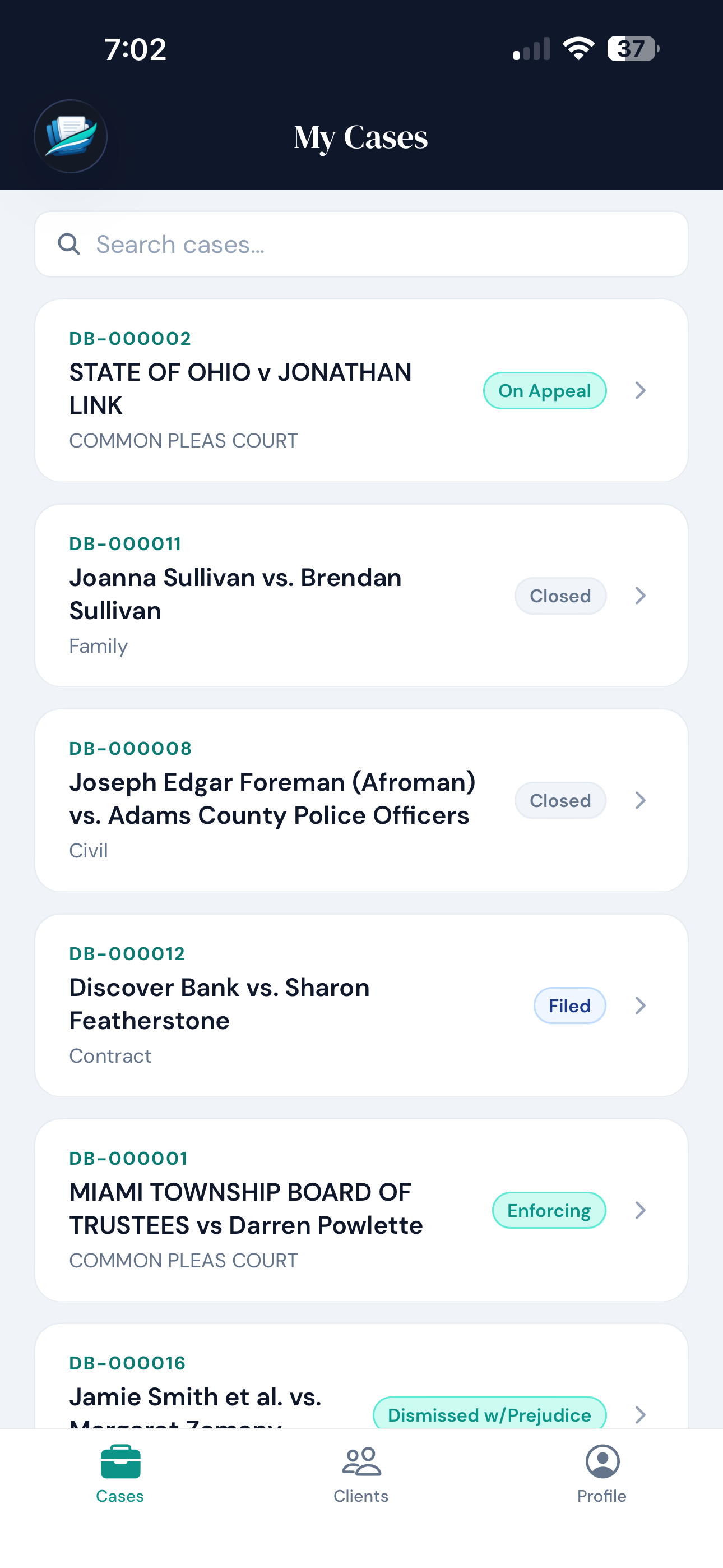
The DocketBreeze iPhone app is available on the App Store for attorneys. Log in with the same account as the web workspace to manage cases, documents, deadlines, and chat on the go. Android is in development.
Clients live on their phones, and so do you between hearings. Mobile access keeps the case file one tap away. The legacy alternatives charge a premium for mobile; DocketBreeze includes it in your subscription.
DocketBreeze was built from scratch on modern infrastructure, with generative AI at the core of how it processes documents. There's no legacy code dragging the product backward.
The two long-running competitors built their platforms before generative AI made plain-language translation feasible. Bolting modern features onto a legacy system is slow and expensive, and the customer pays for it. DocketBreeze customers don't.
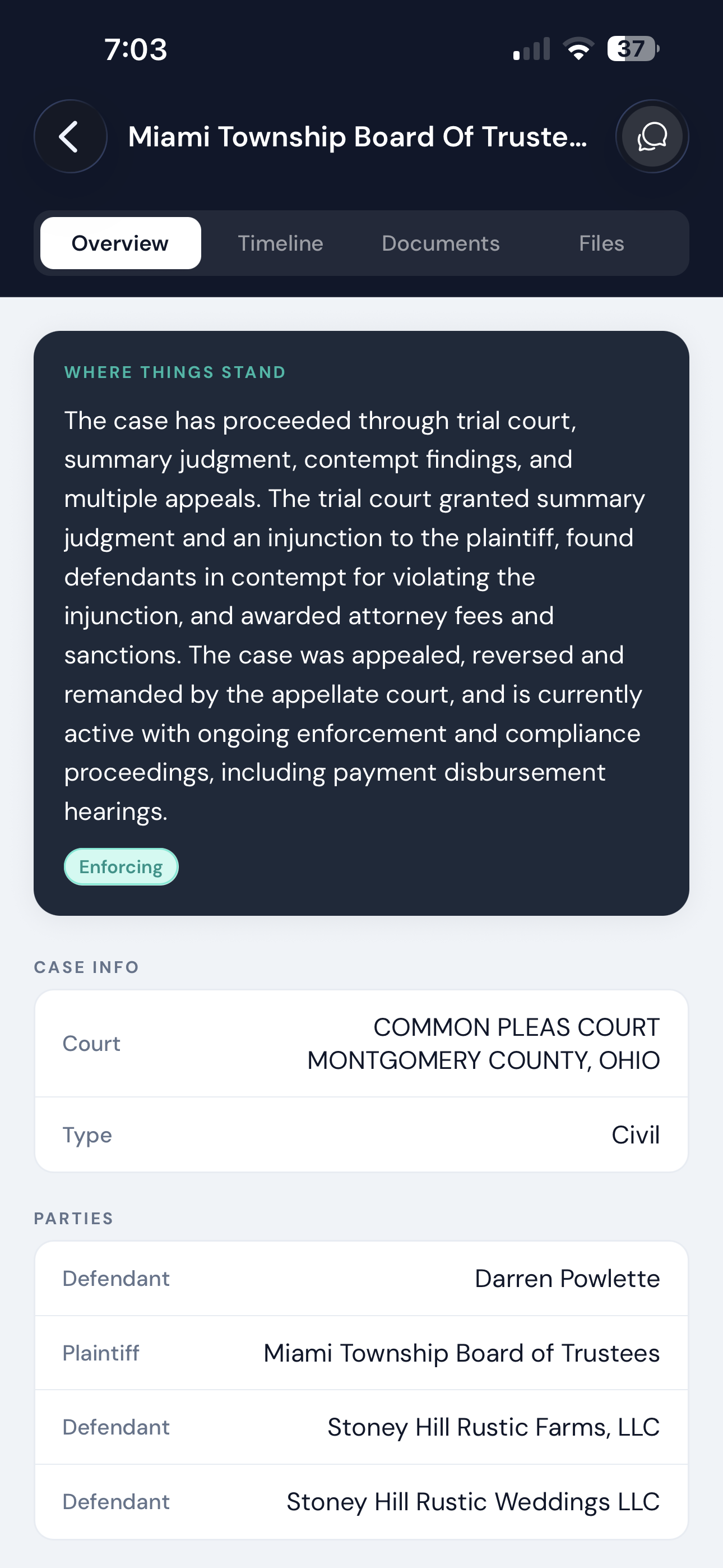
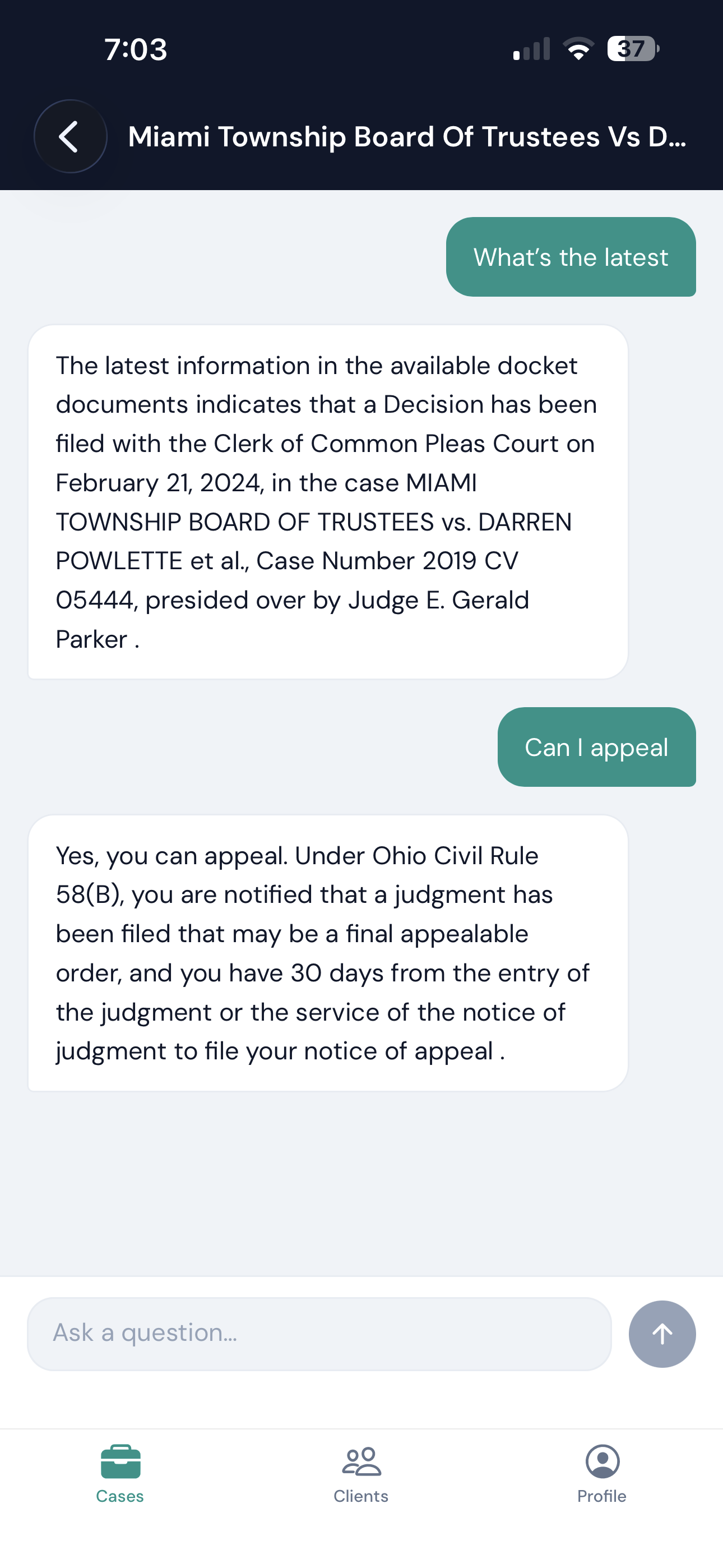
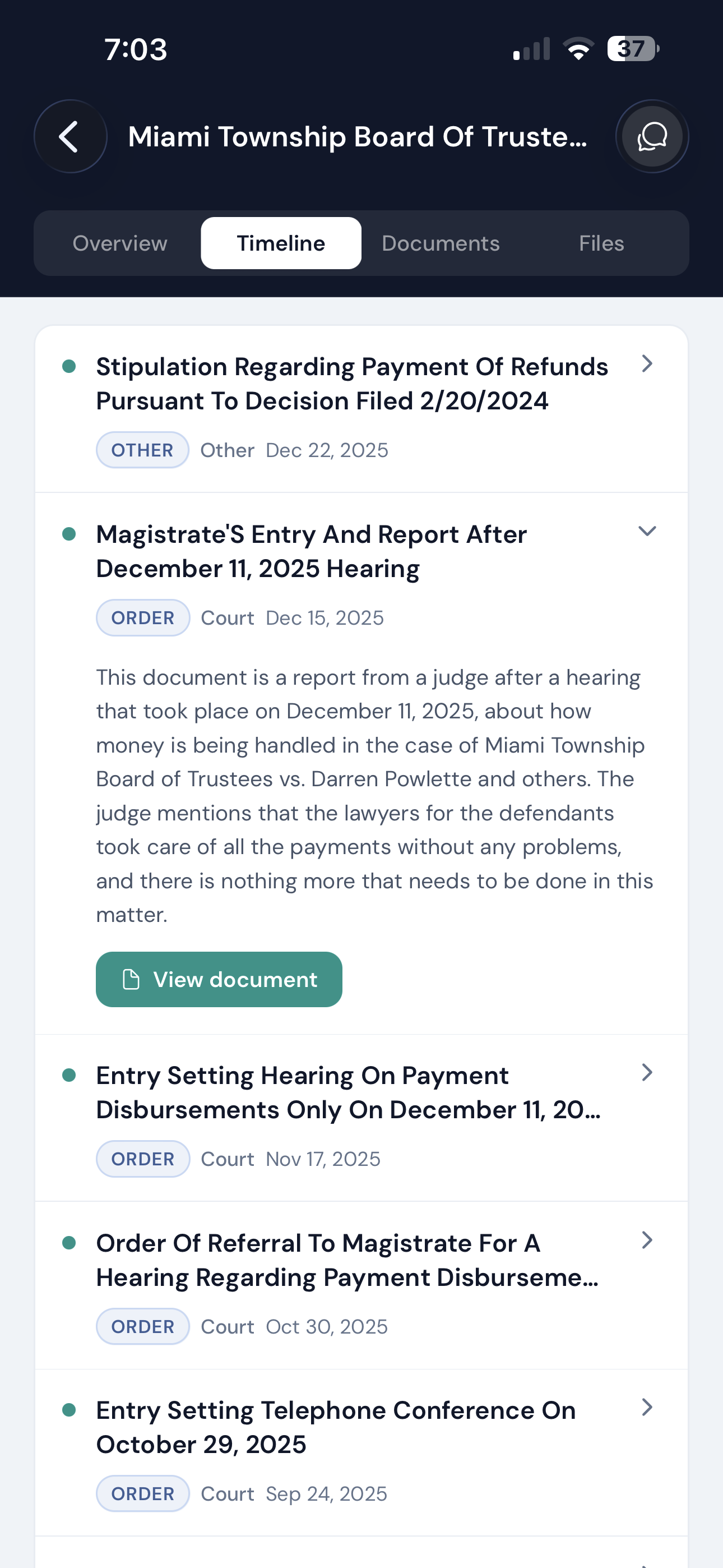
No premium tiers. No enterprise add-ons. No upsells. If it's on this page, it's in your subscription.
The 30-day free trial doesn't require a credit card, just a name and an email.
The fastest way to evaluate DocketBreeze is to load the documents from one or two of your existing cases and see what the platform does with them. Thirty seconds to start. Thirty days to decide.